 Zeying
A photo tool for Mac1.0.0 · Available on the App StoreThe hints are advisory. Look closer, then keep a shot, mark it for deletion, or return later.
 A life in the making
Read the making notes
Zeying and EchoLine began with everyday needs. Beyond the feature lists: how each is used, and where the decisions remain.
01 / ZEYING
Zeying began with a specific question: which similar photo should I keep? Early tests with my own photographs sometimes grouped different buildings or paintings together. That experience is recorded in ‘Why I’m building Zeying’.
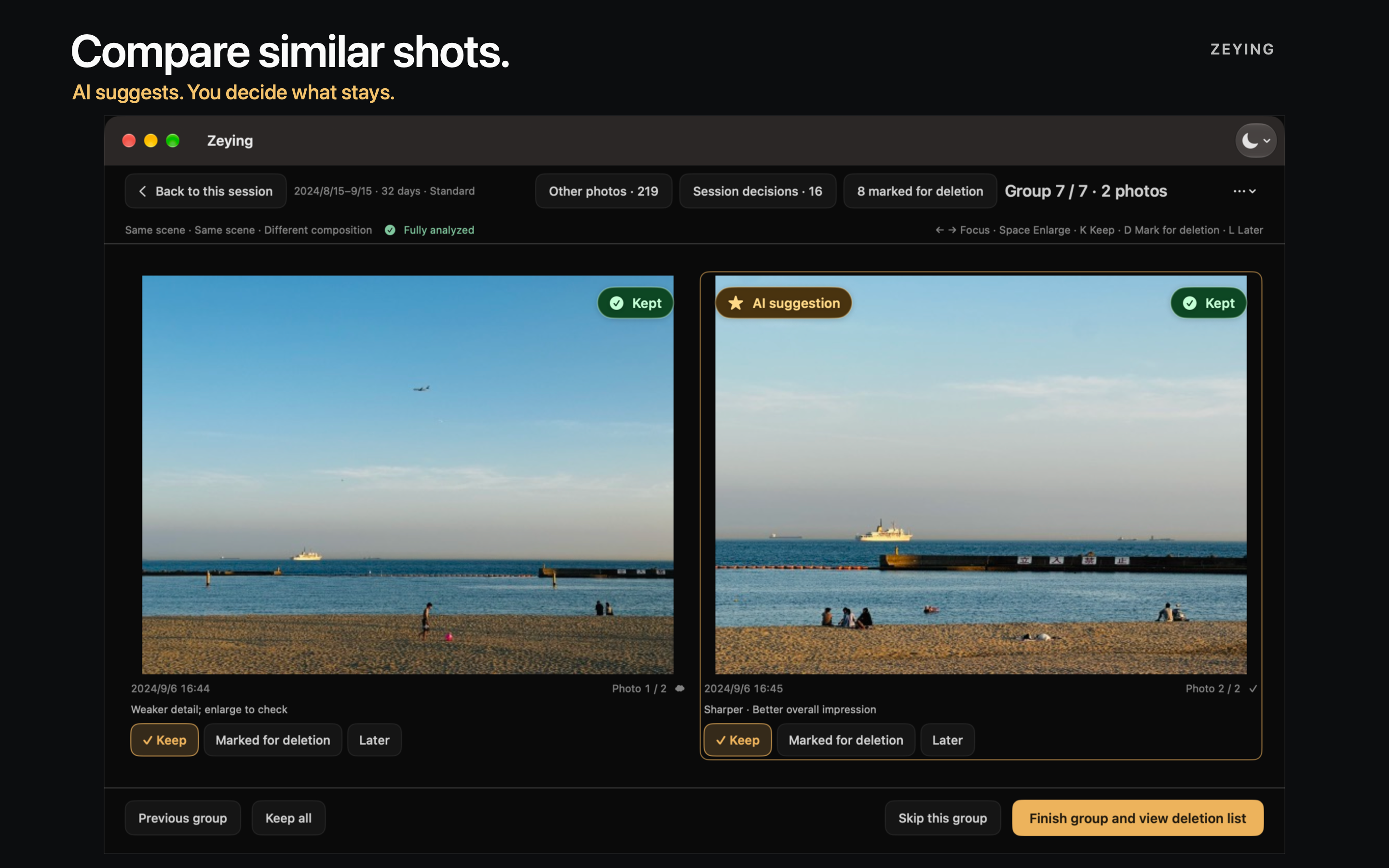
ZeyingThe hints are advisory. Look closer, then keep a shot, mark it for deletion, or return later.
Look at related photographs side by side and find a group worth comparing.
Enlarge the details, then consider the overall image.
Keep a shot, mark it for deletion, or return later. Suggestions are advisory.
Similar photographs may show different subjects. Different poses of the same person may still be worth comparing. The tool offers clues; the person looking at the photographs decides what stays.
02 / ECHOLINE
EchoLine grew out of practicing English: listen to a real clip, follow along sentence by sentence, then listen again. A small part of everyday speech that can be practiced repeatedly.
Listen, follow along and listen again, one real video clip at a time. A small stretch of everyday English you can come back to and practice.
Open EchoLine on the web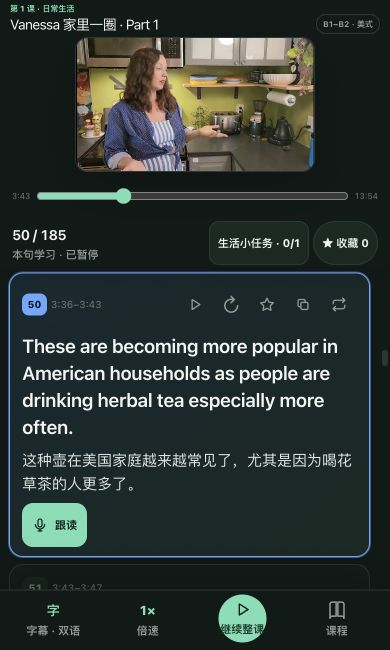
Begin with one sentence from a real video clip.
Use the sentence-by-sentence subtitles and try saying it yourself.
Return to the same line. Listen and follow along again.
The video and bilingual sentence captions stay together. Return to a line when you need another listen, then try saying it along. A short practice session still needs a clear next step.